- Home
- Storage of Discs
- Lightscribe Discs
Lightscribe Discs for Labeling CDs and DVDs
LightScribe discs are special optical discs that are used for creating labels on the top surface of the CD or DVD.
LightScribe Discs
The LightScribe labeling method cannot be used on all media. Discs that can use this labeling method require an extra top dye layer that is not usually found on recordable media. This dye layer is very thin and changes chemically when exposed to laser light in the recording drive.
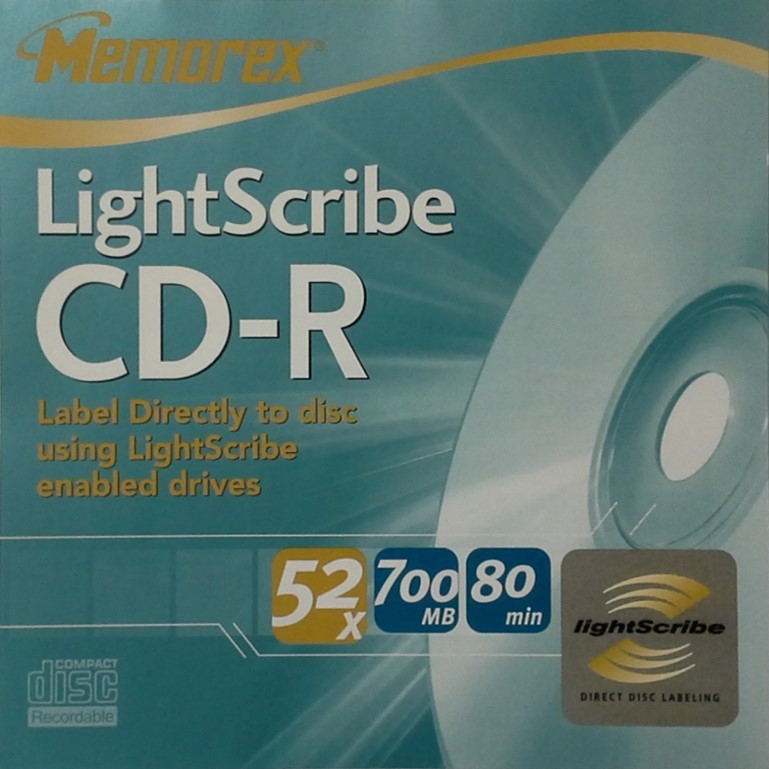
The altered dye becomes visible and the dye not irradiated by laser light remains invisible and therefore a label is created. LightScribe discs are available in the following formats: CD-R, DVD-R, DVD+R, and dual layer recordable DVDs. The usual base color of the top side of the LightScribe disc (the side that will be labeled) is gold, but other colors are also available such as red, orange, yellow, green, and blue. The actual label, when it is placed onto the disc, is not a colored label but rather shades of grey on a colored background.
LightScribe Enabled Drives
In addition to special media, in order to use the labeling option on a LightScribe DVD or LightScribe CD, a recording drive is necessary that has the LightScribe feature incorporated in it. Only the drives with the LightScribe symbol (as illustrated in the picture below) can create these types of labels on the discs.
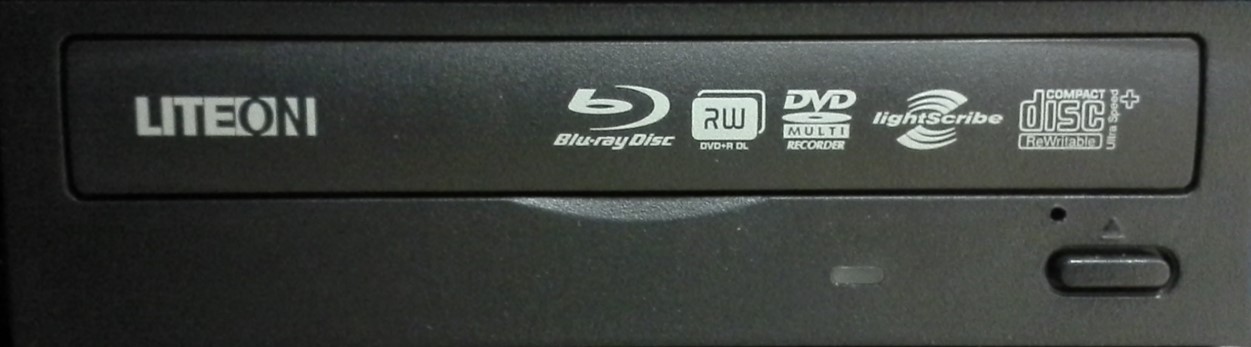
The symbol is usually found on the front of the drive tray with all the other logos which indicate what functions the drive can perform. Alternatively, a sticker logo elsewhere on the drive or computer may indicate a LightScribe enabled drive. Special software to allow the labels to be created and burned is also required.
How the LightScribe Disc System Works
The labeling system works as follows:
- A LightScribe disc is placed in a LightScribe enabled recording drive with label side up in order to record the information onto the disc.
- After the information is recorded, the LightScribe labeling software is opened and the label designed. It can be a full label, a border, or text only.
- Next, the recorded LightScribe disc is taken out of the recording drive, flipped over so that the top side of the disc is pointing downwards, and then reinserted into the same drive. This allows the recording laser to have access to the dye layer residing on the top of the disc.
- The label is then burned or recorded (some refer to it as etching) onto the disc. The burning or label recording process is from the inside to the outside of the disc in a spiral pattern similar to the same way that data is written to the recordable disc media on the opposite side. Note that it is not necessary to burn the disc with the data to be saved first. A label can be created first and the actual information to be stored added later. The two processes are separate.
Advantages and Disadvantages of LightScribe
There are some advantages to using this type of disc labeling system. For example, there is no need to use potentially harmful markers and pens, or adhesive labels, no balance issues with the disc, and there is no smudging since the labeling process does not use ink. On the other hand, there are some disadvantages such as the fact that creating labels can be a very slow and time consuming process. Also, LightScribe discs are required and if you do not have the Lightscribe enabled drive, you cannot label the discs using this technique.
Longevity of LightScribe Labels
It is not known how long the LightScribe CD and DVD labels will last. Because the labeling method is dye based, fading in the long-term is a possibility. This can be caused by light exposure, elevated temperature or relative humidity, and aging of the material. The durability of the label is also uncertain and general recommendations are to handle these discs as little as possible. In addition, there is little data as to whether these discs differ in stability when compared to standard discs. Will the additional dye layer cause the disc to degrade faster or is it inert and have no effect on disc stability?
This labeling system may or may not be suitable for your needs. The LightScribe disc labeling system is likely acceptable for short term use, but careful thought should be given when using such a system for discs being stored long term, simply because of the noted uncertainties.
Availability of Drives and Discs
As of 2018, LightScribe drives may still be available for purchase but LightScribe discs are getting very hard to find. This type of labeling method was never a large commercial success and faded rather quickly from the marketplace. Instead, manufacturers shifted more to different types of labeling systems for optical disc media, such as ink-jet printing or thermal transfer printing.
The LightScribe website is no longer available. However, some useful information can be found at this alternative LightScribe information website.